
October 06, 2009
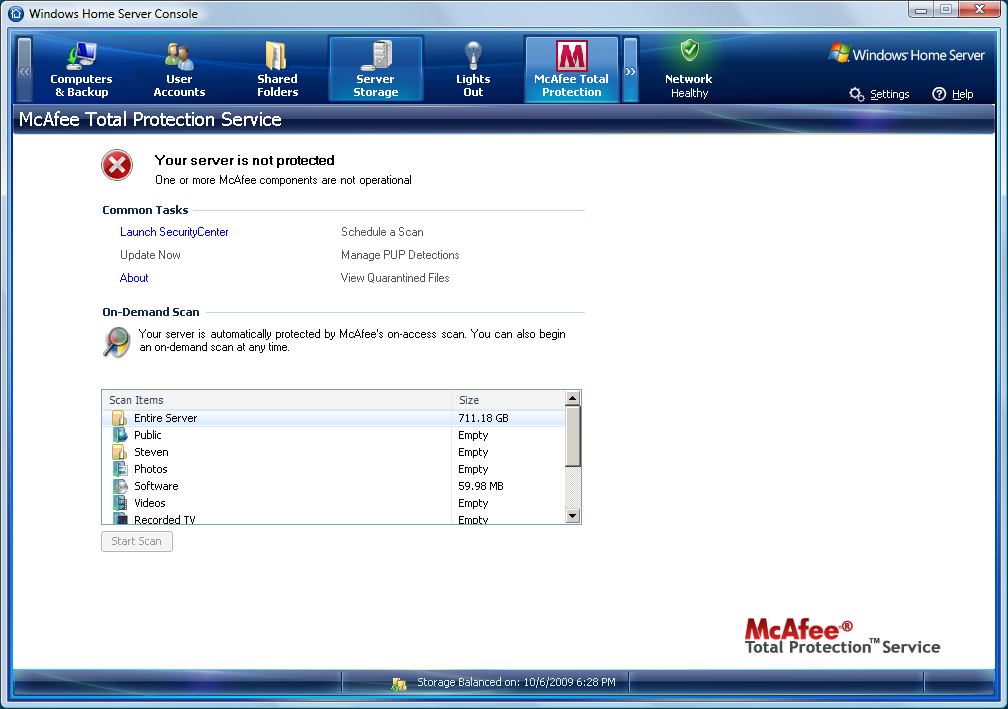
The remote console program that, it turns out, Microsoft developed for running this kind of server is surprisingly clean and easy to use. I promised some frame grabs, and that's what this post is for.
But the window can't be resized, and the frame grabs won't fit in the column formatting I've got set up here, so I'm just going to link to the pictures.
Computers and Backup
User Accounts
Shared Folders
Server Storage
McAfee Total Protection (boo! hiss!)
System Information
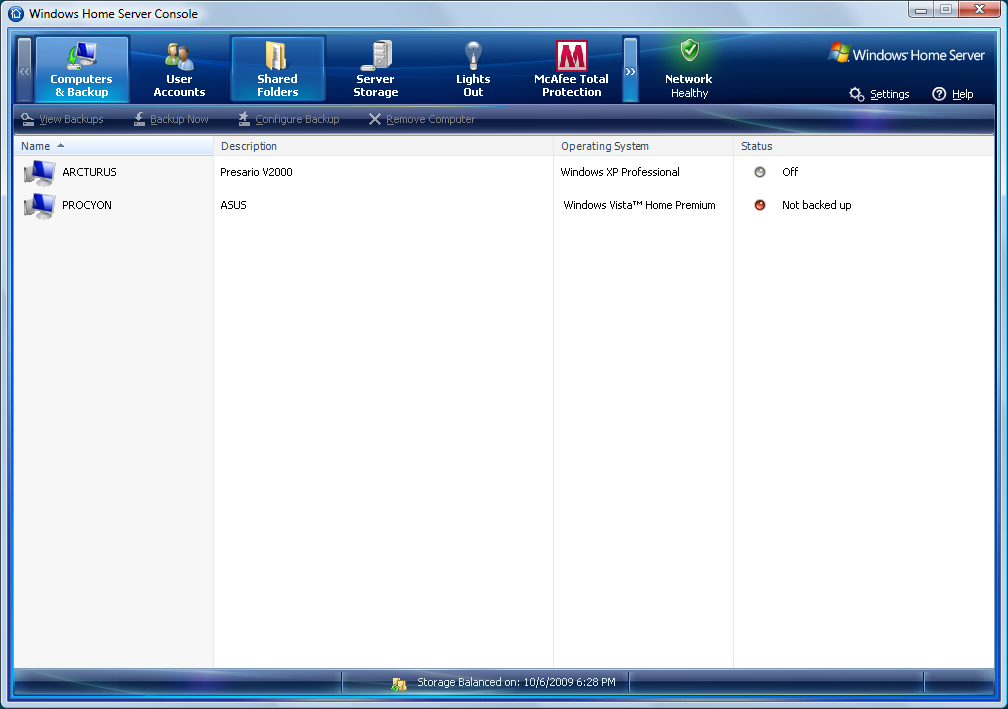
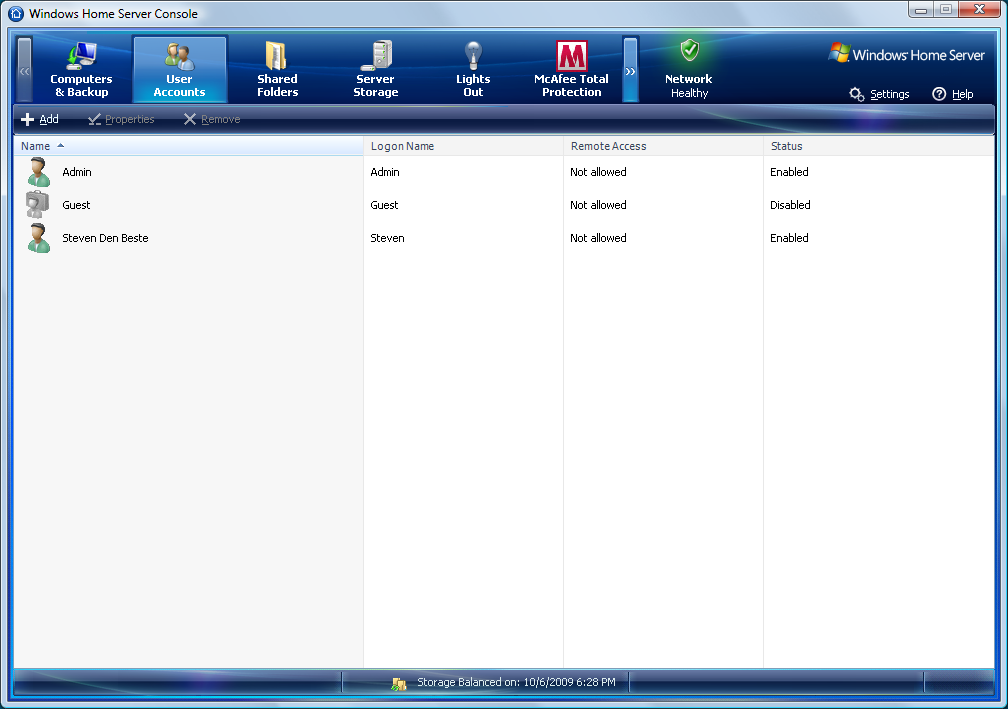
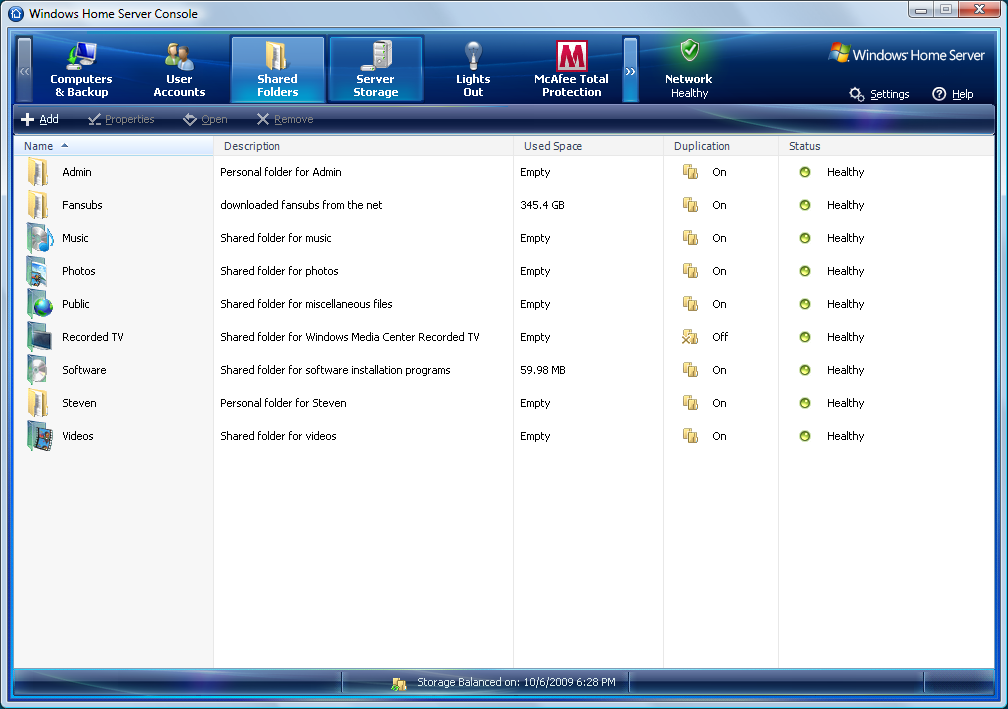
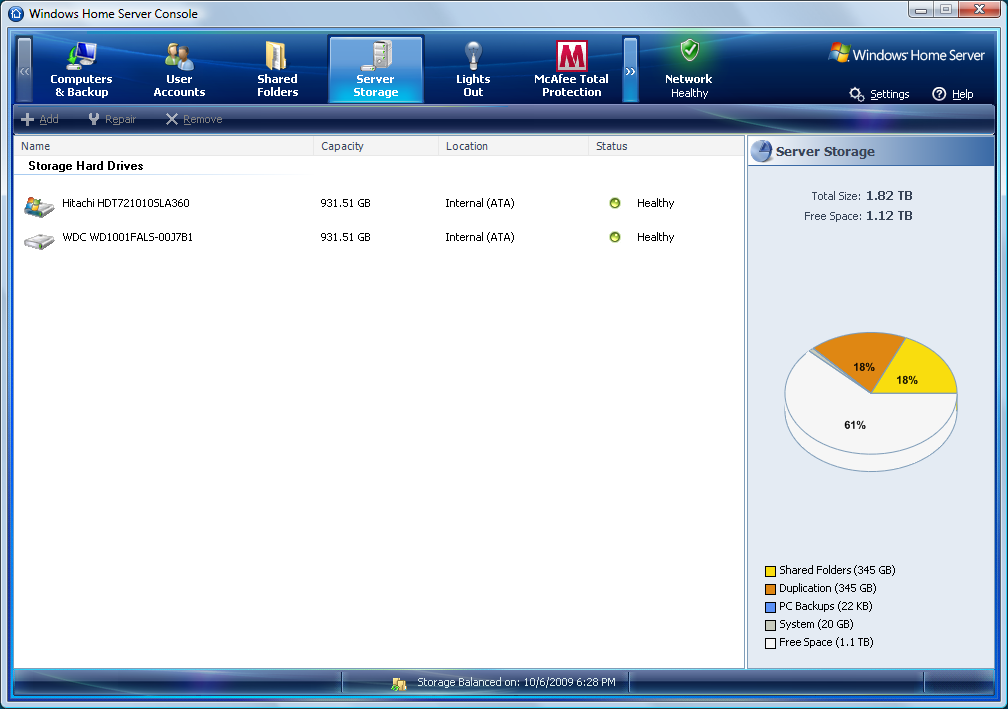


As a simple file server it seems ridiculously overbuilt. A dual-core processor? 2 gig of RAM? But I guess it's also possible to use it for other things, like being a media center, or even as a web server (which it does support).
And running the antivirus program is going to consume a lot of CPU power, I would imagine. I don't have it enabled, though.
I wonder if Microsoft will offer their new antivirus program as an alternative to McAfee some day? That would sure be nice.
UPDATE: There is also a "settings" popup which has a bunch of subframes. I didn't grab those.
UPDATE: Damn, I may be forced to turn McAfee on. It's possible to tell it to not complain about the fact that McAfee isn't enabled. But you have to do so every single time the server boots. Such as, for instance, when you install updates. Or when the power blips. Or when you don't expect to need the server and manually turn it off. Every time you turn it back on again, or it reboots, every client computer connected to it who has Connector installed will get a popup error message.
What soured me on McAfee before was the way it was constantly nagging me about things I was doing deliberately. And now it's doing it again. And there's no way I've found to make it stop completely.
UPDATE: I just played a video file that was stored on the server, and it's a lot more pleasant than trying to play it from an attached USB drive, amazingly enough. No cases of stopping or stuttering due to data not being ready on time, at least that I noticed.
Posted by: Steven Den Beste in Computers at
06:21 PM
| Comments (8)
| Add Comment
Post contains 369 words, total size 2 kb.
Posted by: Toren at October 06, 2009 09:13 PM (9K6fX)

Here's a couple of links of EasyStore owners discussing how to banish it 1 2. The easiest way is to remote desktop into the EasyStore and use the control panel add/remove programs function.
Posted by: Pixy Misa at October 07, 2009 05:05 AM (PiXy!)
Posted by: kderosa at October 07, 2009 05:43 AM (/qyKz)
Pixy, those links confirmed something else I suspected: the McAfee installation is a free trial. After some period of time they expect you to start paying for it, and if you don't then the nags get even more emphatic and annoying.
I'll have to try some of the things they described. I've never used remote desktop before.
Posted by: Steven Den Beste at October 07, 2009 07:33 AM (+rSRq)
Posted by: metaphysician at October 07, 2009 08:23 AM (M5Kik)
I don't think it's always been like this. It's been kind of a gradual thing, where McAfee and Norton have been inching more and more in this direction as time has gone on.
Time was when you bought one of their programs and could get updated virus def files for free thereafter. But eventually they both got seduced by the "software as a service" model and switched to the subscription mode. And then the companies got into an arms race with one another to make deals with computer companies to include their stuff as part of the preloads on new computers.
It's kind of built up gradually as time has gone on.
Posted by: Steven Den Beste at October 07, 2009 09:51 AM (+rSRq)
Posted by: Pete Zaitcev at October 07, 2009 10:36 AM (/ppBw)
It's available for download but they haven't put it on Windows Update yet, so for the moment I'm holding off.
These days my general attitude is "I'll let someone else be the early adopter."
Posted by: Steven Den Beste at October 07, 2009 10:54 AM (+rSRq)
Enclose all spoilers in spoiler tags:
[spoiler]your spoiler here[/spoiler]
Spoilers which are not properly tagged will be ruthlessly deleted on sight.
Also, I hate unsolicited suggestions and advice. (Even when you think you're being funny.)
At Chizumatic, we take pride in being incomplete, incorrect, inconsistent, and unfair. We do all of them deliberately.
How to put links in your comment
Comments are disabled. Post is locked.20 queries taking 0.0176 seconds, 25 records returned.
Powered by Minx 1.1.6c-pink.